
How Do I Turn Off Auto Renewal on Fasthosts?

I started looking into how do I turn off auto renewal on Fasthosts after realising that what should have been a simple account setting turned into an unnecessarily stressful experience. While Fasthosts presents auto-renewal as a convenience, in practice it can lead to unexpected charges, poor communication, and a frustrating cancellation process.
From my experience and extensive user feedback, the process involves:
- Disabling auto-renewal manually in the control panel
- Acting at least 30 days before renewal
- Double-checking invoices that may already exist
Unfortunately, even when users follow these steps, problems often persist.
What Is Fasthosts’ Auto-Renewal Policy and Why Is It Important to Understand It?
Fasthosts enables auto-renewal by default on most products, particularly domain names. According to their terms, users must provide 30 days’ written notice to cancel services; otherwise, renewal charges may still apply. This policy alone catches many users off guard.
Another major issue is timing. Fasthosts frequently generates renewal invoices weeks before the actual expiry date, meaning turning off auto-renewal late does not always prevent a charge. Even worse, users are often unaware an invoice exists until payment has already been attempted.
As explored in our unbiased Freeola review, Freeola’s platform feels several steps behind, lacking modern cloud options, intuitive dashboards, and streamlined onboarding, however, in comparison, Fasthosts’ auto-renewal system raises even more concerns due to its aggressive invoicing and limited user control.
Understanding this policy is crucial because once an invoice is raised, cancelling auto-renewal alone is often not enough to stop the payment.
Why Is It So Hard to Cancel a Fasthosts Service or Domain?
Cancelling with Fasthosts feels unnecessarily complicated. While domain auto-renewals can sometimes be toggled in the control panel, cancelling hosting services often requires manual intervention from their support team.
Users report needing to:
- Submit a closure confirmation form
- Provide account passwords
- Wait extended periods for responses
This complexity creates confusion, and in many cases, leads to renewals going through despite cancellation attempts.
What Are Users Saying About Fasthosts Auto-Renewal?

Customer feedback strongly reflects the problems caused by Fasthosts’ renewal system. Below are verbatim Trustpilot reviews, included exactly as provided, which highlight recurring frustrations:
Stuart Doherty – GB – Jan 7, 2026 – Rated 3 out of 5 stars
“Mark helped resolve my issue quickly enough, changing the auto-renewal setting from two years to one year.
Mark gets five stars, but gave a 3 because of Fasthost’s aggressive auto-renewal process, constantly trying to charge multiple bank accounts, almost daily, well before domain is due to renew.”Natalie Ford – GB – Dec 13, 2025 – Rated 1 out of 5 stars
“Awful company. Awful company, have been trying to cancel domain renewal for months with no success. Very poor customer service.”William – GB – Sep 12, 2025 – Rated 1 out of 5 stars
“They don’t send any email before an auto-renewal to inform of price or card that gets billed. Every other domain registrar sends at least one email before an auto-renewal. Next is somehow despite renewing the domain for 1 year, they decided to make the auto-renewal 5 years.”
These reviews show a consistent pattern: poor communication, unexpected changes, and limited user control over renewals.
Why Do Some Users Say Fasthosts Keeps Billing Even After You Cancel?
Another common complaint is that Fasthosts continues to bill users even after they believe they have cancelled. This is often due to invoices that were generated before auto-renewal was disabled. Once an invoice exists, it may still be processed unless cancelled manually by support.
The following verbatim reviews further illustrate this issue:
Steve Oliver – GB – Sep 16, 2025 – Rated 1 out of 5 stars
“Never trust these people… They refuse the refund me my money they deducted from a renewal in 2025… I WILL NEVER DEAL WITH THEM AGAIN THIS IS A SCAM!!!!!!”Atlas – GB – Jul 19, 2025 – Rated 1 out of 5 stars
“Beware of the renewal scam. I know that I turned off the renewal but they still charged my account and there is no way to delete your payment option on your account without shutting down the entire account.”
The inability to remove payment methods without closing the entire account further amplifies the risk of repeated charges.
How Hard Is It to Get a Refund from Fasthosts After a Mistaken Renewal?
Refunds are one of the most criticised aspects of Fasthosts. Even when renewals happen unintentionally, users frequently report refusals or long disputes.
Feature Fasthosts Typical Competitors
Refund after renewal Rare and disputed Often available
Pre-renewal email alerts Often missing Standard practice
Control over payment methods Very limited User-controlled
For many users, recovering funds becomes a drawn-out process involving multiple calls and unresolved tickets.
How I Properly Disabled Fasthosts Auto-Renewal Without Getting Charged?
From my own experience, successfully disabling auto-renewal on Fasthosts required more than just flipping a switch. To avoid unexpected charges, I had to act early, verify everything manually, and communicate directly with their support team.
Here’s exactly what I did:
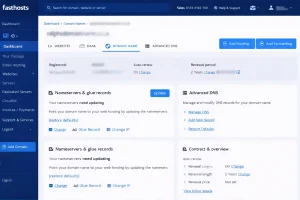
- Logged into the Control Panel at fasthosts.co.uk and navigated to “Domain Names.”
- Selected the product, clicked “Change” next to Auto-Renew, and turned it off.
- Checked my invoices to ensure no renewal charges had already been generated.
- When an invoice had already been created, I had to contact support to request manual cancellation.
- I provided 30 days’ notice, received written confirmation, and monitored my account closely.
I also learned not to remove my payment method prematurely, as that could result in penalties or account suspension.
Final Verdict
From my personal experience and the countless reviews online, I can confidently say that turning off auto-renewal on Fasthosts is far more difficult than it should be. The platform’s default settings, lack of transparency, and slow support make it hard to trust them with ongoing services.
If you’re serious about avoiding surprise charges, stay proactive. Disable renewals well in advance, monitor your invoices closely, and never assume a setting change is the end of the story. And honestly? After this, I’m exploring alternatives with clearer billing policies and better customer care.
