
Is EasySpace Good for Beginners?

When I first looked into EasySpace, I expected a simple, beginner-friendly hosting experience from a long-established UK provider. However, as I explored its features, pricing, and user feedback, my experience felt far more mixed than I anticipated.
While EasySpace does have a solid reputation, many aspects raised concerns for beginners like me who value clarity and ease above all else.
In short, EasySpace may work for some beginners, but it often feels better suited to users with at least basic technical confidence.
Key takeaways at a glance:
- The platform can feel confusing for first-time users
- Support and guidance may not meet beginner expectations
- Pricing and features aren’t always beginner-friendly
For a full beginner-focused breakdown of EasySpace’s features, pricing, and alternatives, see our full EasySpace review.
What Makes a Web Host Beginner-Friendly?
Before judging EasySpace Hosting, it’s important to define what I believe makes a web host suitable for beginners. A truly beginner-friendly provider should prioritise simplicity, guidance, and transparency. This usually means an intuitive dashboard, clear setup steps, responsive customer support, and essential features included without extra cost.
For new website owners, complexity can be discouraging. Beginners often want to focus on building content, not troubleshooting hosting issues. When these expectations aren’t met, even a reliable host can feel overwhelming.
Is EasySpace Too Complicated for First-Time Users?
For first-time users, EasySpace can feel more complex than expected, especially if you’re unfamiliar with web hosting tools and terminology.
Dashboard and Control Panel Experience
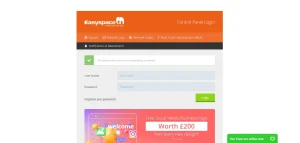
One of my first frustrations with EasySpace was navigating its interface. While it uses industry-standard tools, the overall layout doesn’t feel especially welcoming to beginners. The dashboard lacks a guided onboarding process, which means new users are largely left to figure things out on their own.
Setup and Learning Curve
Setting up a website isn’t impossible, but it can feel unnecessarily technical. Tasks like managing domains, configuring hosting, or installing applications may confuse users with no prior experience. Compared to hosts that offer step-by-step wizards, EasySpace feels less forgiving for first-timers.
Why Do Some Users Say EasySpace Support Falls Short?

Customer support is often where beginners rely most, yet this is one of EasySpace’s weaker areas according to many user reviews. While support channels exist, the experience can feel inconsistent and slow, especially when dealing with basic issues.
Common complaints from beginners include:
- Delayed response times during critical moments
- Technical explanations that assume prior knowledge
- Limited proactive guidance for simple tasks
For someone new to web hosting, this lack of hand-holding can quickly become frustrating and confidence-draining. These concerns are echoed in public reviews, including the following Trustpilot feedback:
Dytham, Feb 18, 2025
DifficultSpace: At last I’m free from this bunch
At last I’m free from this bunch with expiry of domain registration.
To add insult to injury, they then offer price reduction in attempt to retain my custom.Following my post, EasySpace, or how I now think of them DifficultSpace, has added a lengthy reply repeating their lies.
In all my days of dealing with any customer support teams, I have never encountered such unhelpful or unfair practises.
This review reflects a broader sentiment shared by users who feel unsupported when they need help the most.
Could the Pricing Structure Be a Dealbreaker for First-Time Users?
At first glance, EasySpace’s pricing looks reasonable and competitive, especially for beginners looking for an affordable entry point. However, the true cost often becomes clear only after signing up. Many features new users expect to be included as standard are either limited or locked behind paid add-ons, which can quickly increase overall expenses.
Understanding what is actually included in entry-level plans isn’t always straightforward. Beginners may find themselves paying extra for essential tools they assumed were part of the package. On top of that, renewal prices are often noticeably higher than the initial promotional rates, making long-term budgeting harder.
For first-time users, this pricing complexity can feel like an unnecessary and discouraging hurdle.
What Are Essential Features Missing from the Basic Plans?
For beginners choosing a hosting provider, certain core features are expected to be included by default, but with EasySpace, those expectations don’t always match reality.
Feature Beginner Expectation EasySpace Reality
SSL Certificate Included for free Often paid or limited
Website Builder Simple and guided Basic and restrictive
Automated Backups Standard feature Not always included
Email Hosting Free with hosting May cost extra
When I compared EasySpace with other UK hosting providers, it became clear that some beginner-essential features aren’t as accessible as they should be. This makes the platform less appealing for those who want an all-in-one solution.
So, Is EasySpace Good for Beginners or Not?
From my perspective, EasySpace is not the ideal choice for most beginners. While it’s a reputable UK host with years of experience, the platform often feels too technical, less supportive, and more expensive than expected for someone just starting out.
I found that beginners who value simplicity, guided setup, and transparent pricing may struggle here.
That said, EasySpace might still suit beginners who are willing to learn, troubleshoot, and don’t mind a steeper learning curve. Personally, if I were recommending hosting to a complete beginner, I’d suggest looking at providers that prioritise ease of use and support more clearly.
