
What Security Features Does 34SP Have?

When I look at web hosting providers, security is always one of the first areas I evaluate, especially for WordPress-based websites. As someone who regularly reviews hosting services, one question that consistently pops up is, what security features does 34SP have?
After thoroughly examining their platform and comparing it with industry standards, the answer is mixed. While 34SP does offer several built-in security tools, their approach has notable limitations, especially for users expecting robust, enterprise-level protection.
Here’s the short answer, 34SP provides essential protection features like FTP Locking, Monarx malware detection, daily backups, and automatic updates. But in practice, these tools don’t fully address some of the most pressing threats that modern WordPress users face.
Key features include:
- FTP Locking for limited access control
- Monarx for malware scanning and mitigation
- Daily backups and vulnerability scans
- Automatic updates for WordPress core and some plugins
Let’s take a closer look at how these features hold up.
Why Is Website Security Crucial for Hosting Users?
Website security is no longer optional, it’s essential. Cyberattacks on UK websites, particularly WordPress-based platforms, are increasing. From ransomware and phishing attacks to data breaches and defacement, the risks are widespread.
A hacked website can lead to:
- Loss of customer trust
- Search engine blacklisting
- Severe drops in SEO performance
- Data theft and downtime
For users hosting client websites or running an eCommerce store, the impact of poor hosting security can be devastating. A hosting provider’s built-in security tools must go beyond the basics, especially in today’s digital climate.
What Security Features Does 34SP Have?
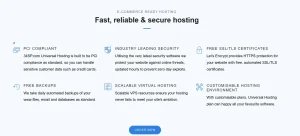
To their credit, 34SP offers several security tools designed to protect users from common web threats.
Here’s a breakdown of the core protections included with their hosting plans:
FTP Locking
This feature allows users to control access to their hosting account via FTP/SFTP/SSH. It’s useful to prevent unauthorised connections, especially from brute-force attacks. However, it requires manual activation, if you forget to lock it down after use, your site remains exposed.
Monarx Malware Detection
Monarx is used for real-time detection and mitigation of malware. While it can catch common malware scripts and code injections, it’s not a full-scale firewall or WAF. There’s limited visibility on what actions it takes automatically.
Daily Backups and Scans
Backups are run daily and stored for recovery purposes. Vulnerability scans are performed, but only basic checks are conducted. There’s no proactive patching or alerts for high-risk plugins/themes unless you’re on a managed WordPress plan.
Automatic Updates
WordPress core files are updated automatically. Some plugins are included, but theme updates and certain third-party plugins must be handled manually, leaving potential gaps in protection.
To understand how these features perform in real-world use, how they compare to competitors, and where the limitations appear, see our full 34SP hosting review for a complete security and performance breakdown.
Why Are Brute-Force and FTP Attacks Still a Major Concern for 34SP Users?
Despite offering FTP Locking, brute-force and FTP-based attacks remain a notable concern. With increasing credential leaks and the use of automated bots, attackers often attempt login combinations until they succeed.
“I once assumed FTP Locking was enough, but one forgotten login session was all it took for an attacker to inject malicious files into a client’s site.”
While 34SP allows you to lock FTP access, it’s not automatic. And without built-in two-factor authentication or IP whitelisting, it’s a risky setup for beginners or less security-conscious users.
How Can Malware and Website Defacement Threaten Your 34SP Website?
Malware remains one of the biggest threats for WordPress users. Whether it’s injected through a plugin vulnerability or via outdated core files, the effects can be serious.
“I had a WordPress site blacklisted by Google after malware redirected users to a spammy third-party domain—it took days to clean up.”
Although 34SP uses Monarx for detection, this tool is reactive rather than preventative. There is no true firewall in place, and while Monarx does catch many threats, sophisticated malware can still slip through.
In addition, 34SP doesn’t provide a dedicated recovery specialist or guaranteed malware removal service, you’re on your own when things go wrong.
Do Shared Hosting Platforms at 34SP Pose Security Risks?
Shared hosting is one of 34SP’s most affordable options, but it comes with trade-offs. Sites hosted on shared platforms can be affected by other users on the same server.
- A high-traffic spike on one site could slow down others
- If a neighbouring site gets compromised, there’s risk of cross-site contamination
- Isolation practices aren’t well documented, so transparency is lacking
For small personal blogs, this might not be a deal-breaker. But for client projects or sensitive sites, shared hosting can introduce unnecessary risk.
What Do I Honestly Think About 34SP’s Security After Reviewing It?
After testing and evaluating 34SP’s offerings, my verdict is simple, they provide the minimum security tools required for general website protection, but there are key areas where their services fall short, especially when it comes to proactive defence and advanced threat prevention.
While they’re suitable for bloggers, hobbyists, or basic business sites that don’t handle sensitive data, I wouldn’t recommend 34SP for eCommerce platforms, membership sites, or agencies managing client portfolios.
If you’re looking for an all-in-one secure platform, you may need to explore additional security plugins or upgrade to premium hosting providers that offer built-in firewalls, real-time patching, and malware removal guarantees.
