
How Do I Cancel My Stablepoint Subscription?

When I first decided to cancel my Stablepoint subscription, I expected it to be a quick and straightforward task. Unfortunately, what followed was a maze of technical issues, hidden processes, and disappointing support.
If you’re trying to figure out how to cancel your Stablepoint account and wondering why it feels so difficult, you’re not alone.
Here’s what I discovered, and what you need to know:
- The cancellation process is not intuitive and often buggy.
- Immediate cancellations require opening a billing ticket.
- Refunds are rarely granted, especially if you’re outside their narrow guarantee window.
- Even after cancellation, some users report ongoing charges.
Why Is Cancelling a Stablepoint Subscription So Complicated?
Many Stablepoint customers are surprised to discover that cancelling their service is far more complicated than it should be.
Hidden Behind Layers
Stablepoint doesn’t make cancellation a visible or direct option. There’s no clear “Cancel My Account” button, instead, you have to navigate through the Hosting Panel, find the specific service, go into the Billing section, and submit a Cancellation Request.
Even then, immediate cancellations are not accepted through the form, they require a billing ticket, which delays the process and creates confusion.
Strict Deadlines and Account-Specific Rules
Stablepoint requires users to cancel before 11:59pm (ET) on the day before renewal. If you miss this, you’re charged for the next cycle, with no option for a refund.
Worse still, cancellation rules differ depending on whether you’re using a shared hosting plan or a dedicated server, making it harder to know what applies to your situation. This isn’t an isolated issue, our full comprehensive Stablepoint review which breaks down recurring patterns across billing, account control, and customer support.
What Are the Common Issues You Might Face When Trying to Cancel?
Trying to cancel with Stablepoint isn’t just about navigating a complex dashboard, it’s about facing errors, dead ends, and poor support.
Here are the most common issues:
- Missing Cancellation Button: Some users report not seeing the cancellation option at all.
- Client Area Glitches: The panel sometimes fails to load or throws technical errors.
- Wrong Account: You might be logged into a different client account, and there’s no notification to indicate this.
- Outstanding Balance: You can’t cancel if there’s an overdue invoice, even for unrelated services.
- Third-Party Purchases: If you bought hosting via a reseller, you can’t cancel through Stablepoint directly.
Poor Customer Support
Once issues appear, you’re forced to contact customer support, often via ticket only, since the live chat doesn’t handle billing directly. Response times are slow, and many users say they have to follow up multiple times to get even a basic answer.
Does Stablepoint Make It Intentionally Difficult to Leave?
While Stablepoint doesn’t explicitly make it difficult to cancel, the overall experience suggests otherwise. There’s no option for real-time cancellation, you’re forced to go through support for immediate requests, which slows everything down.
Their refund policy is restrictive, offering limited eligibility that must be manually claimed during cancellation. Worse still, auto-renewals can catch users off guard due to rigid deadlines and minimal reminders.
Orgován György – 1★ (Jan 4, 2026):
“I have 13 users, and I refuse to stay with you because of the restrictions on my account! I have canceled the service in my account several times, but you keep restoring it… I now firmly request that you cancel the service and refund my money! I submitted my refund request last month, but it was dismissed.”
The cancellation option is also buried in the dashboard, with no clear confirmation once submitted, leaving users confused and frustrated.
Will You Lose Your Data or Get Charged After Cancelling Your Stablepoint Account?
Stablepoint’s cancellation policies come with serious consequences if not handled carefully by customers managing multiple websites and billing cycles.
What Happens to Your Data?
Cancellation Type Data Retention Risk
End-of-billing-period 14-day grace period Data deleted after 14 days
Immediate cancellation No data retention All data lost instantly
You’re responsible for manually backing up your files, emails, and databases, Stablepoint does not retain them once the cancellation is processed.
Ongoing Charges After Cancellation
Many users have reported continued billing even after submitting a cancellation request.
This happens if:
- The cancellation wasn’t submitted in time.
- The billing ticket wasn’t reviewed quickly enough.
- The service wasn’t removed from auto-renew settings.
Trustpilot Review – Billing Error
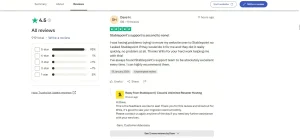
Alex – 1★ (Sep 12, 2025):
“I recently cancelled two [websites], but when I wanted to log into another, this also had been cancelled! It didn’t even have the same details… shows a definite lack of attention to detail.”
This shows how even unrelated services can be affected, suggesting an alarming lack of backend control.
How I Cancelled My Stablepoint Subscription?
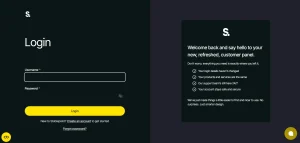
Eventually, after several failed attempts and confusing navigation, I managed to cancel my Stablepoint subscription, but not without jumping through a few hoops.
The process wasn’t as intuitive as expected, and it involved a combination of actions spread across different sections of the platform.
Here’s how I did it:
- Logged into the Hosting Panel via https://clients.stablepoint.com.
- Located the specific hosting product under “My Products” and clicked Manage → Billing.
- Scrolled to the Renewal & Subscription Settings section and submitted a Cancellation Request, choosing the “End of Billing Period” option and providing a reason.
- Since I needed the service cancelled immediately, I also had to open a billing support ticket, which added another layer to the process.
- Before doing so, I made sure to back up all data, including emails and files.
- Finally, I followed up with support until they confirmed the cancellation had gone through.
Final Verdict
From my experience, cancelling a Stablepoint subscription is far from simple. I spent days navigating confusing dashboards, raising support tickets, and worrying about my billing cycle. Even once I submitted the cancellation, I had to double-check everything, from DNS settings to data backups, just to ensure nothing went wrong.
I don’t believe the process is built with customer convenience in mind. In fact, it felt like Stablepoint designed it to retain customers by creating friction.
Unless you’re highly tech-savvy and have time to chase support, cancelling can become a drawn-out and frustrating experience.
If you’re thinking of joining Stablepoint, make sure you’re comfortable with these cancellation terms upfront, or choose a provider with more flexible, user-friendly offboarding.
